Showing posts with label batch editing. Show all posts

Fix-It Friday

Original:


Edit 1:


I opened this photo in Adobe camera raw and did some tweaking to the exposure and used the recovery slider to try to bring back some of the detail to the white dress. Then I opened it in Elements, adjusted the levels and cropped it. I used the patch tool to get rid of the ugly wire fence in the background, and I adjusted the contrast and shadows.

Edit 2:

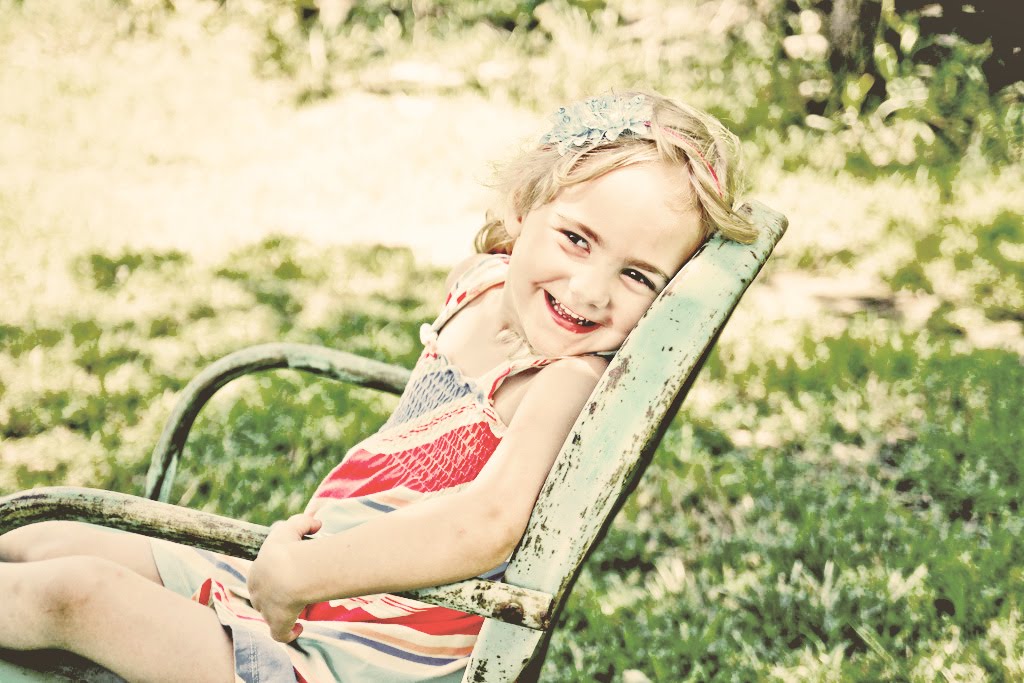
I took the edits from the first one, plus blended a few actions to give it this effect. I used the Pioneer Woman's colorized action and blended it with Coffeeshop's Heartland action. I modified both actions quite a bit.

Edit 3:

For this black and white, I used the Pioneer Woman's black and white action, created a duplicate layer, changed the blending mode to hard-light and lowered the opacity to 60 percent, then flattened.

Day 197: Fix-it Friday

Fix-it Friday:


My Edits:
Clean

Vintage

Black and White (tinted). This is actually my favourite of the three.

Steps: I opened each of the photos in Adobe Camera Raw and fixed the exposure using fill light, blacks, recovery and clarity. I adjusted the levels in Elements, and then I ran Pioneer Woman's Boost Action on the first one (with the Zing layer turned down to 50%). On the second I used Pioneer Woman's Colorized action, at a lower opacity. On the third I used CoffeeShop's Soft & Dreamy Action, but changed the colour from purple to blue and lowered the opacity. Then I mixed in an extremely low opacity of the Heartland action.

Day 80: Batch Editing

One of my goals was to learn how to batch edit, so that I could cut down my editing time and have my photos come out more consistent. I downloaded photoscape because it has batch editing capabilities, and GIMP does not. So my plan is to do basic edits in Photoscape (which doesn't have as many editing tools as GIMP and doesn't give as much control), and then do any fine-tuning or additional edits in GIMP. That way the photos will be consistent in white balance, brightness, contrast, saturation, etc. At least I hope so. Today I tried it out with this set of photos. I shot these in terrible light at night, and they were really grainy because my ISO had to be really high, so I decided to just go with it. I adjusted the brightness and contrast, etc, and then added a vignette and ran Antique Photo Action # 4.

Originals:


Edited:


I'm not sure I like the whole antique finish thing, but I was experimenting :)
Return top